

Description
Download Auto Copy Extension – Automatic Clipboard Copy Tool for Firefox
Overview
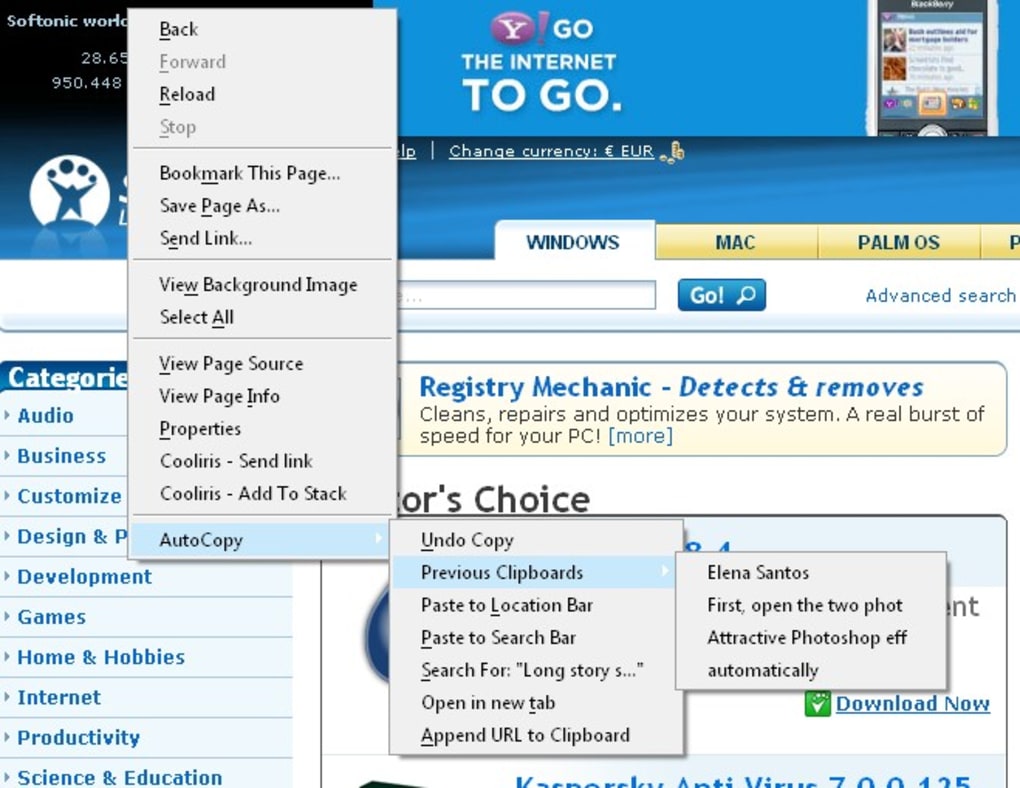
The Auto Copy Extension is a lightweight Firefox add‑on that eliminates the need to press Ctrl + C every time you highlight text. As soon as you select any word, phrase, or paragraph, the extension silently places the content onto your system clipboard. This behavior works across web pages, text‑areas, and even within the browser’s built‑in developer tools. By reducing the number of keystrokes, Auto Copy speeds up research, note‑taking, and any workflow that involves frequent copying. The extension also supports middle‑click pasting inside Firefox, letting you transfer text from the clipboard to a text field with a single click of the mouse wheel. While it does not yet copy URLs from the address bar or enable middle‑click pasting outside the browser, the core functionality is solid, stable, and free of ads or hidden fees. If you spend hours each week moving text between tabs or applications, Auto Copy can shave seconds off every copy action – translating into minutes saved over a month. Its minimalist design, automatic updates via Mozilla’s Add‑on Store, and straightforward settings panel make it a “set‑and‑forget” utility that quickly becomes indispensable.
Key Features and How It Works
- Instant clipboard copy on any text selection – no keyboard shortcut required.
- Middle‑button paste inside Firefox for rapid insertion into input fields.
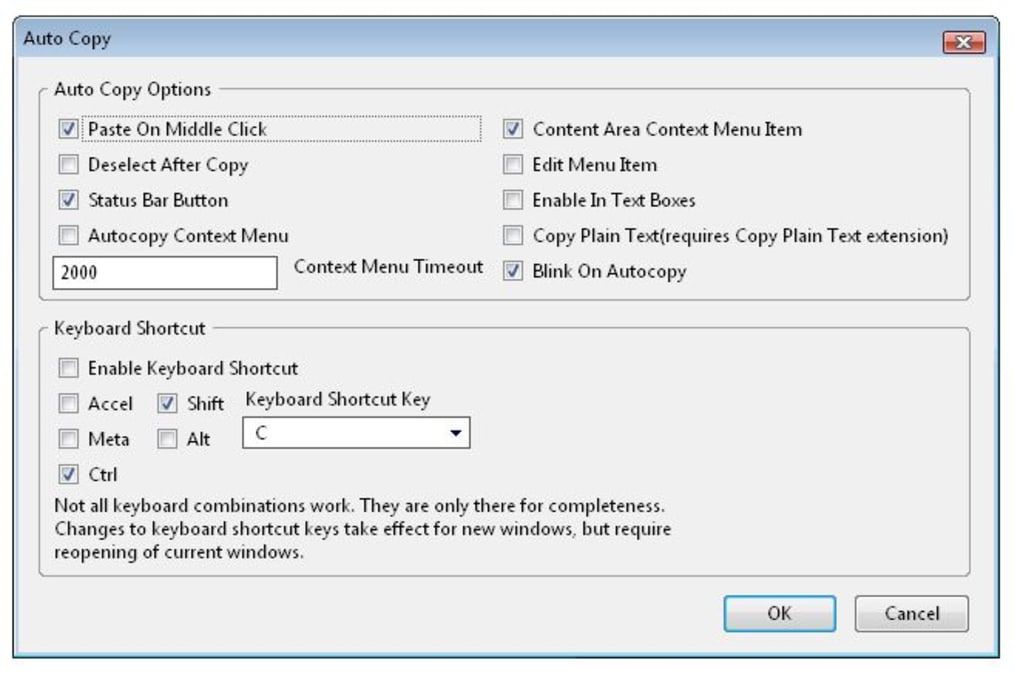
- Configurable preferences: enable/disable auto‑copy, exclude specific sites, and set a custom delay.
- Lightweight footprint – less than 200 KB, minimal impact on browser performance.
- Automatic background updates through the Mozilla Add‑on ecosystem.
- Secure handling of clipboard data – the extension never transmits information to external servers.
Under the hood, Auto Copy listens for the selectionchange event that Firefox fires whenever a user highlights text. When the event is detected, a small JavaScript routine captures the selected string and invokes the navigator.clipboard.writeText() API. This API is built into modern browsers and respects the user’s security settings, ensuring that only the active tab can write to the clipboard. Because the extension runs entirely in the browser’s context, it does not require any additional background processes or external binaries, which contributes to its fast startup time.
The middle‑click paste feature leverages the same API in reverse. When you click the mouse wheel inside a text field, the extension reads the current clipboard content and injects it at the cursor position. This workflow mimics the classic X‑Windows middle‑click behavior that many power users appreciate, but it is confined to the Firefox environment for security reasons. Users can toggle this feature on or off from the extension’s options page, allowing a fully customized experience that matches personal habits.
Installation, Setup & Compatibility
Installing Auto Copy Extension is a breeze. Open Firefox, navigate to the Auto Copy page on Mozilla’s Add‑on Store, and click the “Add to Firefox” button. A permission dialog will appear, asking for access to read and modify the clipboard. Review the permissions, then confirm. Firefox will automatically download, verify, and enable the add‑on, after which a tiny icon appears in the toolbar.
Once installed, click the toolbar icon to open the options panel. Here you can:
- Enable or disable automatic copying globally.
- Whitelist or blacklist specific domains (useful for sites where you don’t want auto‑copy, such as password managers).
- Set a short delay (in milliseconds) before the text is copied, which can help avoid accidental copies when you’re merely highlighting text to read.
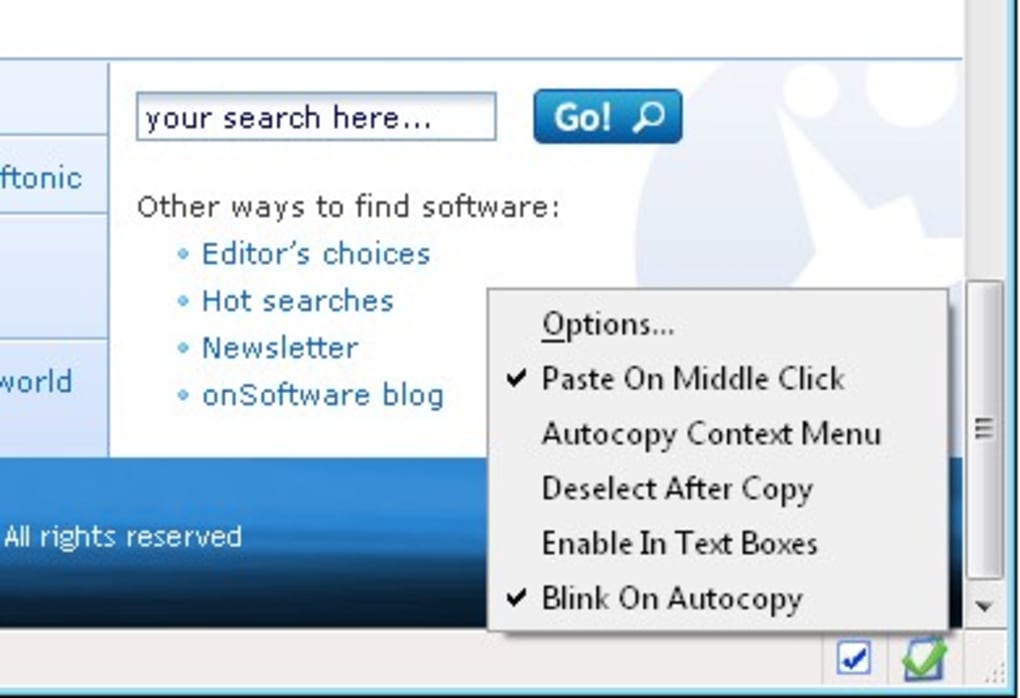
- Toggle middle‑click paste functionality.
The extension is built for Windows, macOS, Linux users running the latest version of Firefox (v115+). Because it relies on the modern Clipboard API, older browsers or legacy versions of Firefox may not support the full feature set. The add‑on does not currently work in Chrome, Edge, or Safari, and middle‑click pasting is limited to the Firefox window; attempts to paste outside the browser will fall back to the standard system clipboard behavior.
Updating is handled automatically through Firefox’s add‑on update mechanism. When a new version is released, you’ll see a small notification badge on the extension icon, and the update will be applied the next time you restart the browser. No manual download or re‑installation is required, ensuring you always have the latest security patches and feature improvements.
Pros, Cons & Frequently Asked Questions
Pros
- Eliminates repetitive Ctrl + C keystrokes, saving time.
- Works seamlessly on any selectable text, including code snippets and table cells.
- Lightweight and does not slow down browsing performance.
- Fully configurable with whitelist/blacklist options.
- Secure – no data leaves the browser.
Cons
- Cannot copy URLs directly from the address bar.
- Middle‑click paste works only inside Firefox, not in other applications.
- No built‑in history or clipboard manager features.
- Limited to Firefox; not available for Chrome or Edge.
FAQ
Is Auto Copy Extension free?
Yes, the extension is completely free to download and use. There are no hidden fees or premium tiers.
Can I disable auto‑copy for specific websites?
Absolutely. The options page includes a blacklist feature where you can add domains that should not trigger automatic copying.
Does the extension store my clipboard data?
No. Auto Copy only accesses the clipboard temporarily to copy or paste text. It never writes data to external servers or stores a history.
Why doesn’t middle‑click paste work outside Firefox?
For security reasons browsers restrict clipboard manipulation to the active tab. Allowing paste into other applications could be exploited, so the feature is intentionally limited to the Firefox window.
How do I report a bug or request a new feature?
You can submit feedback directly on the add‑on’s Mozilla page under the “Support” tab, or open an issue on the developer’s GitHub repository linked from the extension’s description.
Conclusion & Call to Action
Auto Copy Extension delivers exactly what its name promises – a hands‑free way to move text from the web to your clipboard. While it lacks a few advanced capabilities, its core function is reliable, secure, and remarkably helpful for anyone who spends a lot of time copying information. If you’re looking for a free, lightweight solution that integrates tightly with Firefox, give Auto Copy a try today. Click the “Add to Firefox” button, tweak the settings to match your workflow, and start enjoying a smoother copy‑and‑paste experience instantly.
Guides & Tutorials for Auto Copy Extension
How to install Auto Copy Extension
- Click the Preview / Download button above.
- Once redirected, accept the terms and click Install.
- Wait for the Auto Copy Extension download to finish on your device.
How to use Auto Copy Extension
This software is primarily used for its core features described above. Open the app after installation to explore its capabilities.
User Reviews for Auto Copy Extension 0
No reviews found





